LPU WiFi Auto Login – Automated WiFi Authentication Extension
A browser extension that automates LPU WiFi authentication with saved credentials and one-click auto-login. (Only for LPU Students now)
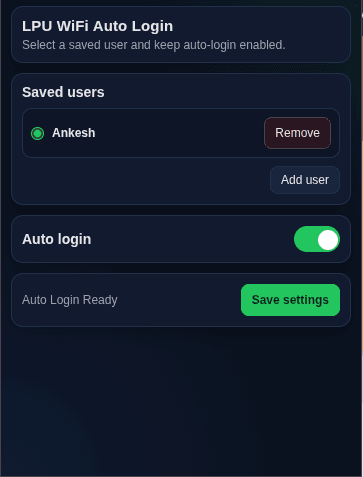
Built a lightweight browser extension to automate captive-portal WiFi authentication, eliminating repetitive manual login steps. Implemented credential persistence, saved-user management, configurable auto-login, and automated form interaction using browser extension APIs and client-side storage.
Download the extension from GitHub → Extract the ZIP → Open chrome://extensions/ → Enable Developer Mode → Load unpacked → Select the extension folder → Add your WiFi credentials → Enable Auto Login → Connect to LPU WiFi.
Challenge
Logging into LPU WiFi repeatedly requires manually entering credentials, selecting the required options, and submitting the authentication form each time the login page appears. The challenge was to automate this repetitive process while making it easy to manage multiple saved users.
Solution
Built a lightweight browser extension that detects the LPU WiFi authentication page and automatically fills the saved credentials, handles the required form options, and submits the login form. Added saved-user management and a configurable Auto Login toggle so users can enable or disable automation whenever needed.